7 Top Document Conversion APIs for Streamlined Integration
A single unreliable document conversion API can disrupt entire workflows and waste hours of developer time. For american and international tech startups, seamless file transformation is not just a convenience—it is a necessity for integrating products and supporting diverse user needs efficiently. This overview cuts through complexity by revealing how top APIs empower your team with automation, error reduction, and broad compatibility, all while saving time on the features that matter most.
01Table of Contents
- Introduction To Document Conversion APIs
- Evaluating API Features For Your Workflow
- Comparing Popular APIs: Pricing And Free Tiers
- Practical Use Cases: Converting PDFs, DOCs, And More
- Integration Patterns For Coding And No-Code Tools
- Testing And Optimizing Conversion Workflows
- Support And Documentation: Choosing Reliable Providers
02Quick Summary
| Key Message | Explanation |
|---|---|
| 1. APIs automate document conversions | Document conversion APIs streamline file transformations, reducing manual effort and improving efficiency for developers and businesses. |
| 2. Evaluate API features thoroughly | Assess criteria like format support and conversion accuracy to ensure the API meets your specific workflow needs. |
| 3. Understand pricing models | Different pricing structures exist; choose a plan that fits your usage and ensures cost-effectiveness for your project. |
| 4. Test API performance before integration | Conduct tests with sample documents to validate the conversion quality and speed of the API within your specific context. |
| 5. Ensure strong provider support | Reliable documentation and responsive technical support are crucial for smooth integration and troubleshooting of the API. |
031. Introduction to Document Conversion APIs
Document conversion APIs are powerful technological solutions that enable seamless transformation of files between different formats, solving critical challenges for developers and businesses. These sophisticated tools allow quick and efficient translation of documents from one file type to another with minimal manual intervention.
At their core, document conversion APIs provide programmatic methods to convert various file formats such as Word documents, PDFs, text files, spreadsheets, and images into alternative formats. This capability is essential for businesses and developers who need to standardize document workflows, enhance file accessibility, or integrate different systems with varying file requirements.
The primary use cases for document conversion APIs span multiple industries and technical scenarios. Software developers leverage these APIs to create more flexible applications that can handle diverse file types, while enterprises use them to streamline document management processes. From converting client invoices to standardizing reporting formats, these APIs offer practical solutions for complex document challenges.
Technically, these APIs work by accepting an input file, processing its content through robust conversion algorithms, and returning a transformed document in the desired format. Most document conversion APIs support multiple input and output formats including DOCX, PDF, HTML, CSV, TXT, and image formats like PNG and JPEG.
Key benefits of using document conversion APIs include:
- Automation of complex file transformation processes
- Reduction of manual document handling
- Consistent formatting across different file types
- Enhanced cross platform compatibility
- Time and resource savings
Pro tip: When selecting a document conversion API, prioritize services that offer wide format support, high accuracy, and robust error handling capabilities.
042. Evaluating API Features for Your Workflow
Selecting the right document conversion API requires a strategic approach that balances technical capabilities with practical implementation needs. Developers must carefully assess multiple factors to ensure seamless integration and optimal performance across their specific workflow requirements.
When evaluating document conversion APIs, critical features extend far beyond simple file transformation. Advanced engineering considerations play a significant role in determining an API's suitability for complex project requirements.
Key Evaluation Criteria for Document Conversion APIs:
- Format Support Comprehensive input and output file type compatibility
- Conversion Accuracy Preservation of document structure and formatting
- Performance Speed Rapid file processing times
- API Response Reliability Consistent uptime and minimal errors
- Security Features Robust data protection and encryption protocols
- Scalability Ability to handle increasing document conversion volumes
- Cost Effectiveness Transparent pricing models aligned with usage
Technical integration involves examining the API's documentation, understanding authentication mechanisms, reviewing SDK availability, and testing conversion quality through sample implementations. Developers should request trial access to validate the API's performance within their specific ecosystem.
Practical Assessment Strategy:
- Define specific document conversion requirements
- Create a comprehensive feature comparison matrix
- Request sandbox or trial access
- Conduct thorough performance testing
- Evaluate long term scalability potential
Pro tip: Always run comprehensive benchmark tests with representative documents from your actual workflow to ensure the API meets your specific conversion requirements.
053. Comparing Popular APIs: Pricing and Free Tiers
Document conversion API pricing models are complex ecosystems that require careful navigation to maximize value and minimize unnecessary expenditure. Developers must understand the nuanced pricing structures that different providers employ to select the most cost effective solution for their specific project requirements.
API marketplace pricing strategies vary widely across different providers, making comprehensive comparison critical for informed decision making. Most document conversion APIs offer tiered pricing models that include free trial periods, usage based plans, and enterprise level solutions.
Common Pricing Model Categories:
- Free Tier Limited monthly conversions at no cost
- Pay Per Use Pricing based on total document conversions
- Subscription Based Monthly or annual fixed rate plans
- Enterprise Custom Negotiated pricing for high volume users
Key Pricing Considerations:
- Evaluate total monthly conversion requirements
- Analyze API call frequency
- Calculate potential cost per conversion
- Compare feature availability across pricing tiers
- Consider scalability and future growth potential
Understanding the financial implications of API selection goes beyond simple price comparison. Developers must factor in indirect costs such as implementation complexity, potential performance limitations, and long term maintenance requirements associated with different pricing structures.
Pricing Strategy Breakdown:
- Startups typically benefit from generous free tiers
- Mid size companies often require flexible usage plans
- Enterprise organizations need customizable solutions
- Individual developers prioritize low entry barriers
Pro tip: Always request detailed quotes and run comprehensive cost projections using your expected document conversion volume before committing to a specific API provider.
064. Practical Use Cases: Converting PDFs, DOCs, and More
Document conversion APIs unlock powerful capabilities for transforming digital content across multiple file formats, enabling seamless information exchange and workflow optimization. These sophisticated tools provide developers with flexible solutions for handling complex document management challenges.
Modern engineering workflows demand versatile document processing that goes beyond simple file type transformation. Conversion APIs address critical needs across multiple industries and technical scenarios.
Typical Document Conversion Scenarios:
- Business Reports Converting financial statements between formats
- Legal Documentation Standardizing contract and compliance documents
- Academic Research Transforming research papers for publication
- Medical Records Ensuring interoperability between healthcare systems
- Global Communication Creating multilingual document variants
Key Conversion Categories:
-
Text Document Conversions
- DOCX to PDF
- TXT to HTML
- RTF to DOCX
-
Spreadsheet Transformations
- XLSX to CSV
- Google Sheets to PDF
- XLS to XLSX
-
Image and Graphic Conversions
- PNG to JPEG
- SVG to PDF
- RAW image files to web friendly formats
Effective document conversion requires understanding not just technical capabilities but also preserving critical formatting, metadata, and structural integrity during transformation processes. Developers must carefully evaluate API performance across different file types and complexity levels.
Practical Implementation Strategies:
- Select APIs with comprehensive format support
- Test conversion accuracy with representative documents
- Implement error handling for complex transformations
- Consider computational overhead of conversion processes
Pro tip: Always perform sample conversions with your most challenging document types to validate the API's true capabilities before full integration.
075. Integration Patterns for Coding and No-Code Tools
Document conversion APIs now offer unprecedented flexibility through integration strategies that cater to both professional developers and non technical users. The modern API landscape bridges traditional coding approaches with innovative no-code solutions, enabling broader technological accessibility.
Developer integration frameworks have evolved to support multiple implementation patterns that accommodate diverse technical skill levels and project requirements. This democratization of API technology allows organizations and individual creators to leverage powerful document conversion capabilities without extensive programming knowledge.
Integration Method Categories:
- Programmatic Integration
- REST API calls
- SDK implementations
- Webhook configurations
- No Code Platforms
- Zapier workflows
- Microsoft Power Automate
- Google App Scripts
- Hybrid Approaches
- Low code platforms
- API configuration tools
- Visual integration environments
Technical Implementation Strategies:
- Authenticate API credentials securely
- Configure input and output parameters
- Define error handling mechanisms
- Implement retry and fallback protocols
- Monitor conversion performance metrics
Coding Language Support:
- JavaScript
- Python
- Java
- Ruby
- PHP
- Go
- Node.js
- TypeScript
Successful API integration requires understanding both technical capabilities and practical workflow requirements. Developers must balance technical complexity with user experience and system performance.
Pro tip: Select integration tools that provide robust documentation and comprehensive error logging to simplify troubleshooting and maintenance processes.
086. Testing and Optimizing Conversion Workflows
Document conversion workflows require meticulous testing and continuous optimization to ensure reliable performance across diverse file types and complex transformation scenarios. Successful implementation demands a strategic approach that balances technical precision with practical efficiency.
API catalog testing methodologies play a critical role in validating document conversion reliability and performance. Developers must implement comprehensive evaluation strategies that assess multiple dimensions of API functionality.
Comprehensive Testing Framework:
- Input Validation
- File type compatibility
- Size limitations
- Complex document structures
- Output Quality
- Formatting preservation
- Content accuracy
- Metadata retention
- Performance Metrics
- Conversion speed
- Resource utilization
- Error rate analysis
Optimization Strategies:
- Create representative document test suites
- Implement automated testing scripts
- Monitor conversion success rates
- Track performance benchmarks
- Configure adaptive retry mechanisms
Key Performance Evaluation Parameters:
- Conversion accuracy percentage
- Processing time per document
- Memory and computational overhead
- Error handling capabilities
- Cross platform compatibility
Effective workflow optimization requires continuous measurement and iterative refinement. Developers should establish robust monitoring systems that provide real time insights into API performance and potential improvement areas.
Pro tip: Develop a comprehensive test suite with documents representing various complexity levels and file types to ensure thorough validation of your document conversion API integration.
097. Support and Documentation: Choosing Reliable Providers
Selecting a document conversion API requires careful evaluation of provider support infrastructure and documentation quality. The right technical support can mean the difference between smooth implementation and frustrating development roadblocks.
Developer resources and API documentation serve as critical indicators of an API provider's reliability and commitment to user success. Comprehensive support ecosystems demonstrate a provider's understanding of real world developer challenges.
Critical Support Evaluation Criteria:
- Documentation Quality
- Clear technical specifications
- Comprehensive code examples
- Detailed error handling guides
- Technical Support Channels
- Responsive customer service
- Community forums
- Direct engineering contact options
- Learning Resources
- Video tutorials
- Detailed integration guides
- Troubleshooting repositories
Support Infrastructure Assessment:
- Examine documentation comprehensiveness
- Evaluate response time for support tickets
- Check community engagement levels
- Review SDK and library availability
- Analyze version update frequency
Provider Reliability Indicators:
- Transparent communication
- Regular platform updates
- Comprehensive API versioning
- Multiple integration method support
- Active developer community
The most effective document conversion APIs provide not just technical capabilities but robust ecosystems that empower developers to solve complex integration challenges quickly and efficiently.
Pro tip: Request a technical consultation or trial period to thoroughly assess the provider's support infrastructure and alignment with your specific project requirements.
Below is a comprehensive table summarizing the benefits, functionalities, and strategies associated with document conversion APIs as detailed in the article.
| Aspect | Description | Considerations |
|---|---|---|
| Definition | Technologies enabling transformations between file formats programmatically. | Essential for seamless document exchange and workflow standardization. |
| Key Benefits | Automation, consistency, cross-platform compatibility, and reduced manual processes. | Saves time and resources by managing varying file requirements efficiently. |
| Evaluation Factors | Format compatibility, accuracy, speed, reliability, security, scalability, and cost-effectiveness. | Run performance tests and assess API response reliability for selection. |
| Usage Scenarios | Business reporting, legal documentation, academic publishing, and medical record handling. | Ensure interoperability and data integrity during transformations. |
| Integration Options | Programmatic (SDKs, REST APIs), no-code platforms, and hybrid approaches. | Select tools based on user expertise and project complexity. |
| Optimization | Testing for input/output quality, performance benchmarks, and error handling. | Use representative data for validating implementation results. |
| Pricing Models | Free tier, pay-per-use, subscription-based, and enterprise custom. | Evaluate cost implications relative to project volume and scalability. |
| Support Infrastructure | Documentation quality, responsive support, and availability of community resources. | Ensure adequate resources for troubleshooting and efficient operation. |
10Unlock Seamless Document Conversion with ApyHub's Robust API Marketplace
Navigating the complexities of document conversion APIs can be overwhelming as you seek reliable solutions that ensure accuracy, speed, and consistency across formats like DOCX, PDF, CSV, and more.** Whether you are a developer integrating programmatic workflows or a product team optimizing no-code platforms, overcoming challenges such as maintaining formatting, ensuring security, and scaling usage is critical for streamlining your document transformation processes.
ApyHub addresses these exact pain points by offering a curated collection of ready-to-use file conversion APIs designed to accelerate development and reduce costly maintenance. From automatic file transformations to secure and scalable document handling, our solutions empower you to build more efficient workflows that meet real-world business demands.
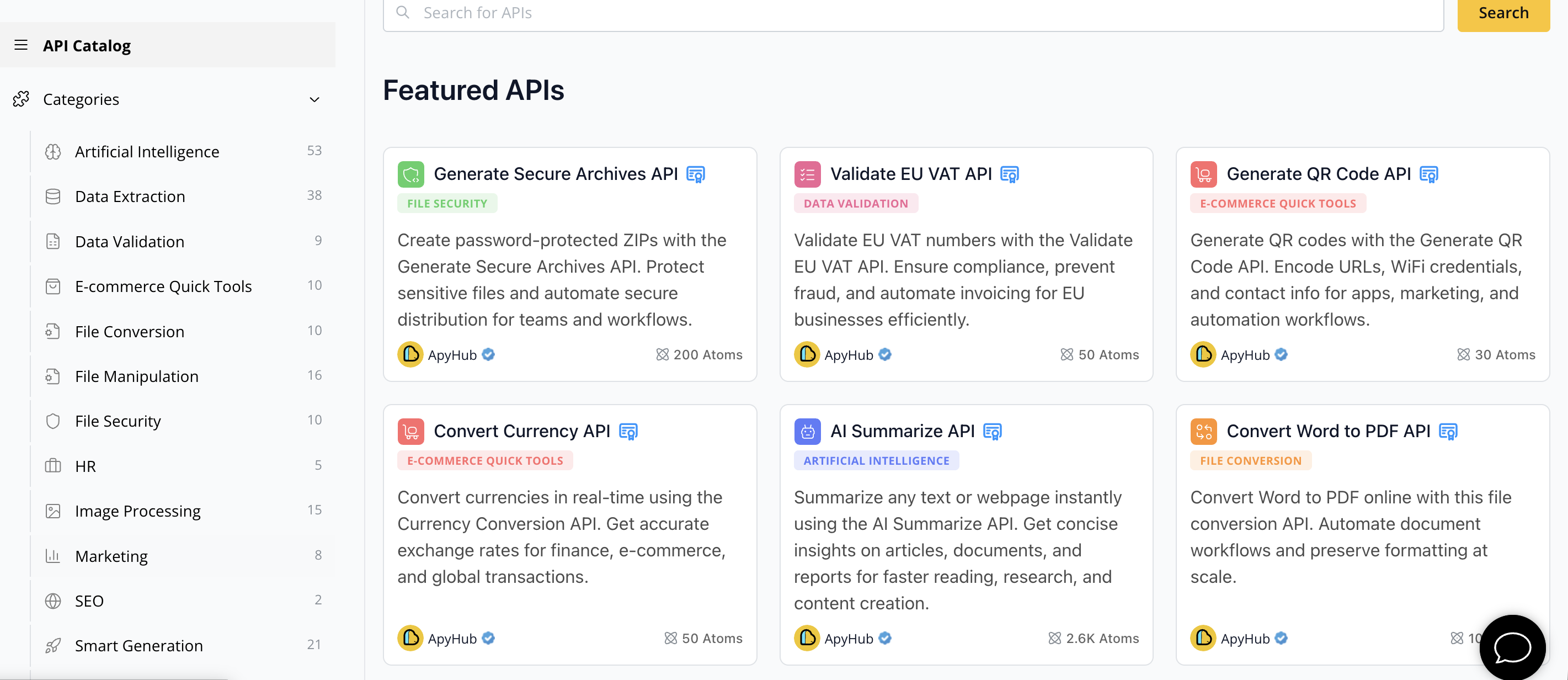
Explore the wide range of File Conversion APIs at ApyHub and find powerful tools tailored for workflows like PDF to DOCX conversion or multi-format support. Don’t wait to enhance your project’s integration speed and reliability. Visit ApyHub API Marketplace now and start transforming your document workflows effortlessly with trusted APIs supported by detailed documentation and expert support.
11Frequently Asked Questions
What are Document Conversion APIs?
Document Conversion APIs are tools that allow the conversion of files from one format to another programmatically. They automate processes like changing Word documents to PDFs or transforming images into different formats, improving efficiency in document management.
How do I evaluate the features of different Document Conversion APIs?
To evaluate Document Conversion APIs, assess key features such as format support, conversion accuracy, and performance speed. Create a comparison matrix of these criteria and request trial access to test their capabilities with representative documents.
What are common pricing models for Document Conversion APIs?
Common pricing models include free tiers for limited usage, pay-per-use plans based on total conversions, and subscription models for fixed monthly or annual fees. Calculate your anticipated document volume to determine which model is most cost-effective for your needs.
How can I test the conversion accuracy of a Document Conversion API?
To test conversion accuracy, create a representative suite of documents that include various complexities and formats. Run sample conversions and evaluate the output for formatting preservation and content accuracy to ensure it meets your requirements.
What integration options are available for Document Conversion APIs?
Document Conversion APIs offer various integration options, including programmatic access through REST API calls and no-code solutions via platforms like Zapier or Microsoft Power Automate. Choose an integration method that aligns with your technical skills and project needs for the best results.
Why is provider support important when choosing a Document Conversion API?
Provider support is crucial because it impacts your ability to successfully implement and troubleshoot any issues with the API. Look for comprehensive documentation, responsive customer service, and active community forums to ensure you have the resources needed for smooth integration.