apyhub
ARTIFICIAL INTELLIGENCE · IMAGE PROCESSING

Detect Faces from Image File API

What it does

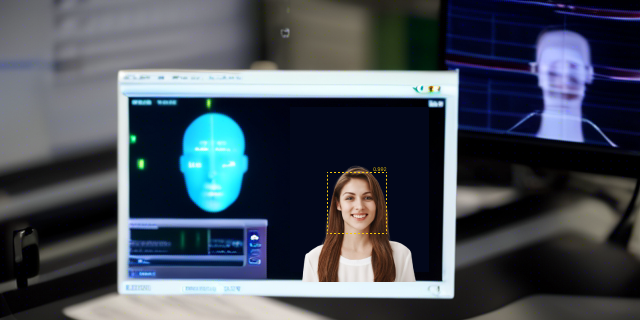
Face Detection finds frontal faces in an image and returns a bounding box for each one. Send a binary file in the request body, and get back the face locations in pixel coordinates.

The response includes faces, face_count, and image_size. Each face entry contains x, y, w, and h, so you can draw overlays, crop faces, or feed the results into moderation, tagging, or photo-management workflows.

Use Face Detection when you need to identify people in uploaded images, build automatic thumbnail crops, or pre-process images before running another vision step. The image_size field gives you the dimensions of the source image, which helps you map detections accurately to your UI or downstream processing.

If no faces are found, the service still returns a structured response, making it easy to handle empty results without special-case parsing.

POST
Detect frontal faces and return bounding boxes for each face found
https://api.eu.apyhub.com/dosvak/detect-faces

QUICKSTART

GUIDE

Quickstart

Upload an image file to detect any faces in it.

curl -X POST "https://api.eu.apyhub.com/dosvak/detect-faces" \
  -H "apy-token: $APY_TOKEN" \
  -F "file=@/path/to/image.jpg"

What you'll get back

Returns a JSON object with optional faces, face_count, and image_size fields.

  • faces is an array of face rectangles, where each item may include h, w, x, and y integer values.
  • face_count is an integer with the number of faces detected.
  • image_size is an object with h and w integer values for the image dimensions.
{
  "faces": [
    { "h": 120, "w": 100, "x": 340, "y": 210 }
  ],
  "face_count": 1,
  "image_size": { "h": 1080, "w": 1920 }
}
TRY ITLIVE · 100 ATOMS
Loading your default key…
The full key is used to call the gateway and stays in this tab — never sent to orbit or saved.
Max 100MB total per request (all files combined). Larger? Use this API's URL-based endpoint instead, if it has one.
body*

About this endpoint

What it does

Detects frontal faces in an uploaded image file and returns bounding boxes for each face found. The response also includes the number of faces detected and the input image size.

Request Body

ParameterTypeMandatoryDescription
fileStringYesImage file to analyze. Binary upload (format: binary).

Response

Returns a JSON object with faces as an array of face bounding-box objects, face_count as an integer, and image_size as an object containing the image dimensions.

ParameterTypeMandatoryDescription
facesObject ArrayNoArray of detected face bounding boxes. Each item contains h, w, x, and y integer fields.
faces[].hIntegerNoHeight of the detected face bounding box.
faces[].wIntegerNoWidth of the detected face bounding box.
faces[].xIntegerNoX-coordinate of the bounding box.
faces[].yIntegerNoY-coordinate of the bounding box.
face_countIntegerNoNumber of faces detected in the image.
image_sizeObjectNoDimensions of the input image. Contains h and w integer fields.
image_size.hIntegerNoHeight of the image.
image_size.wIntegerNoWidth of the image.

Body

Name
Type
Description
bodyREQUIRED
object

Max 100MB total per request (all files combined). Larger? Use this API's URL-based endpoint instead, if it has one.

▣ COMMON ERRORS

Errors any endpoint can return

400bad_request

Required parameter missing or malformed body.

401unauthorized

API key missing, revoked, or not authorized for this service.

429rate_limited

Your plan's per-second rate exceeded. Retry with exponential backoff.

503upstream_busy

Backend temporarily unavailable. Try again in a few seconds.