
How to Build with AI and APIs for Faster Integration
Most american startups discover early that integrating AI-based APIs can make or break their product roadmap. With the right development environment and AI tools, even a small team can deliver features that rival major players. Nearly 80 percent of high-growth companies now attribute their speed to robust API adoption and well-optimized workflows. This guide shows you strategic steps to configure your setup and select best-fit solutions that translate directly into faster releases and smarter products.
01Table of Contents
- Step 1: Set Up Development Environment and Tools
- Step 2: Select Relevant AI and API Solutions
- Step 3: Connect and Configure APIs with Your Project
- Step 4: Implement Core Functionalities Using APIs
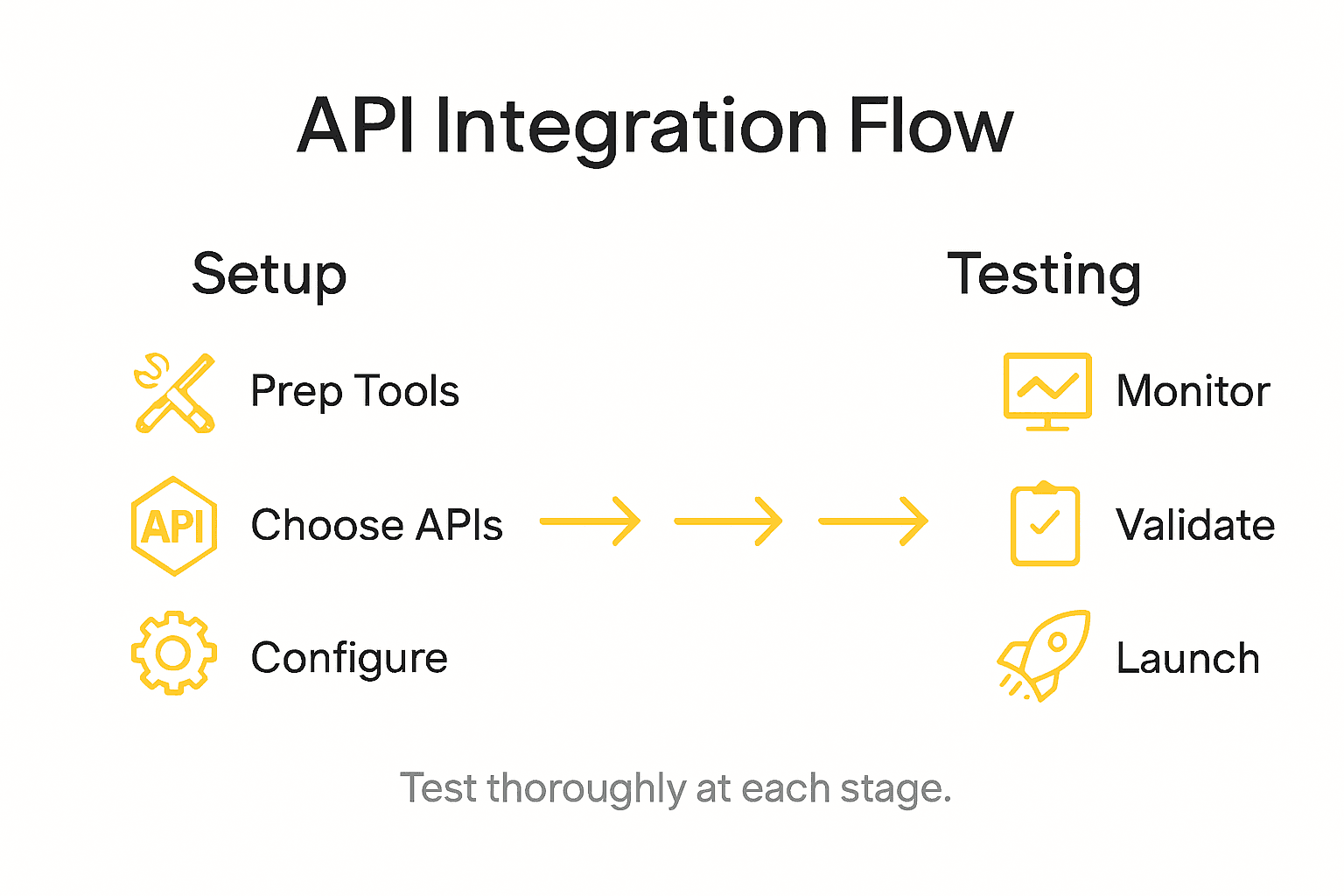
- Step 5: Test and Validate Integration Flow
02Quick Summary
| Essential Takeaway | Explanation |
|---|---|
| 1. Choose High-Performance Hardware | A multi-core processor, a powerful GPU, and ample RAM are crucial for efficient AI development. |
| 2. Select Suitable AI and API Solutions | Match APIs to project needs based on performance, scalability, and documentation support. |
| 3. Implement Secure API Connections | Use secure methods like OAuth 2.0 for authentication, avoiding hardcoded credentials in your code. |
| 4. Create Flexible Modular Functions | Design functions that can easily adapt API services without disrupting the overall application. |
| 5. Develop a Robust Testing Framework | Integrate automated tests across various scenarios to ensure functional correctness and stability in API interactions. |
03Step 1: Set Up Development Environment and Tools
Building AI-powered applications requires a strategic development environment that supports complex computational workflows. Your goal is to configure a robust setup that enables seamless API integration and efficient project management.
To start, you'll want a powerful machine optimized for AI development. Selecting the right hardware configuration matters significantly. Aim for a multi-core processor (8+ cores), at least 32 GB RAM, an NVIDIA RTX 3090 (or equivalent GPU with 24+ GB VRAM), and a 1 TB SSD for managing large model weights and libraries. Linux distributions like Ubuntu 22.04 LTS work best for AI development due to their robust package management and compatibility with scientific computing tools.
Next, set up your integrated development environment. Visual Studio Code remains an excellent choice with its extensive plugin ecosystem. Install Python 3.8+ with pip, create a virtual environment, and configure Docker for containerized development. Essential libraries like NumPy, Pandas, scikit learn, and framework specific packages such as TensorFlow or PyTorch will be crucial. Generate and securely store your API keys, ensuring they are not accidentally committed to version control.
Install command line tools that support your workflow. Git for version control, poetry or conda for dependency management, and debugging tools like pdb will streamline your development process. Configure your IDE with linters, type checkers, and autocompletion to catch potential issues early.
Here's a comparison of popular AI development tools and their business impact:
| Tool/Technology | Main Function | Business Benefit |
|---|---|---|
| Visual Studio Code | Advanced code editing | Faster development cycles |
| Docker | Containerized workflows | Simplified deployment, scalability |
| NumPy/Pandas | Data analysis libraries | Efficient data manipulation |
| TensorFlow/PyTorch | Machine learning frameworks | Accelerated AI model development |
| Git | Version control | Improved collaboration, traceability |
Pro tip: Always use environment variables for sensitive credentials and implement multi stage Docker builds to keep your container images lightweight and secure.
04Step 2: Select Relevant AI and API Solutions
Selecting the right AI and API solutions is critical for building powerful applications that solve real world problems efficiently. Your goal is to match technological capabilities with specific project requirements while ensuring scalability and performance.
Academic and research AI tools demonstrate the importance of strategic solution selection by highlighting how domain specific needs drive technological choices. When evaluating AI and API solutions, consider multiple dimensions beyond simple feature comparisons. Look for platforms that offer comprehensive integration capabilities, robust documentation, flexible pricing models, and strong developer support. Google Cloud AI solutions provide an excellent example of how modern AI platforms enable rapid prototyping across text processing, image analysis, and generative AI models.
Prioritize APIs that offer clear use case alignment with your project goals. Examine factors like rate limits, authentication mechanisms, data privacy compliance, and performance metrics. Most enterprise grade platforms provide sandbox environments where you can test API interactions before full implementation. Pay attention to SDK availability, language support, and integration complexity. Some APIs offer specialized models for specific industries like finance, healthcare, or academic research that can significantly accelerate development timelines.
Consider creating a decision matrix that ranks potential API solutions across key criteria such as accuracy, cost, speed, scalability, and ease of integration. This systematic approach helps eliminate emotional or impulse driven selections and ensures you choose technologies that genuinely meet your project requirements.
Below is a decision matrix to help evaluate potential AI API solutions:
| Criteria | Why It Matters | Example Consideration |
|---|---|---|
| Accuracy | Ensures optimal results | Model precision with test datasets |
| Speed | Impacts user experience | Average API response time |
| Scalability | Supports growth | Platform handles high user volume |
| Integration Ease | Reduces development effort | SDK availability, documentation |
| Cost | Affects project budget | Licensing, pay-per-use pricing |
Pro tip: Always request a trial or evaluation period for complex AI APIs and run comprehensive benchmarks against your specific workload requirements to validate performance claims.
05Step 3: Connect and Configure APIs with Your Project
Successfully integrating APIs requires a methodical approach that balances technical precision with strategic implementation. Your goal is to establish robust and secure connections that enable seamless data exchange and functionality across your application.

Integrating APIs into web applications demands a comprehensive understanding of API documentation and architectural considerations. Begin by thoroughly examining the API specifications, paying close attention to authentication protocols, request and response formats, and endpoint structures. Most modern APIs utilize RESTful or GraphQL architectures, each with unique connection requirements. Implement secure authentication mechanisms like OAuth 2.0 or API key management, ensuring credentials are stored securely using environment variables and never hardcoded directly into your application.
Develop a systematic approach to API integration by creating modular connection layers that abstract API interactions. Implement robust error handling mechanisms that gracefully manage potential connection issues, rate limiting, and unexpected response formats. Use language specific HTTP client libraries that provide clean, intuitive interfaces for making API requests. Write comprehensive test suites that validate API interactions under various scenarios, including edge cases and potential failure modes. Consider implementing circuit breaker patterns to prevent cascading failures and maintain application resilience when external API services experience interruptions.

Establish a monitoring and logging framework that tracks API performance, latency, and error rates. This approach allows you to proactively identify and address potential integration challenges before they impact user experience. Leverage middleware solutions that can provide additional layers of abstraction, caching, and request transformation to optimize API interactions.
Pro tip: Always implement exponential backoff and jitter strategies when handling API request retries to prevent overwhelming external services during temporary connection issues.
06Step 4: Implement Core Functionalities Using APIs
Transforming your application's core functionalities through API integration requires strategic planning and precise implementation. Your objective is to create dynamic, responsive features that leverage external services seamlessly and efficiently.
Integrating APIs into web applications demands a nuanced approach to building interactive user experiences. Start by mapping out your application's core requirements and identifying specific API endpoints that can provide essential data or services. Design modular function structures that abstract API interactions, allowing you to swap or upgrade service providers without disrupting your entire application architecture. Focus on creating flexible interfaces that can dynamically render API responses, handle complex user interactions, and provide real time feedback.
Prioritize building robust error handling and validation mechanisms that can gracefully manage unexpected API responses. Implement intelligent caching strategies to reduce unnecessary network calls and improve application performance. Consider creating wrapper classes or service layers that standardize API interactions across different endpoints, making your code more maintainable and easier to debug. Develop comprehensive test suites that simulate various API interaction scenarios, including potential failure modes, rate limiting, and unexpected data formats. Pay special attention to security considerations such as input sanitization, secure token management, and protecting sensitive user data during API transactions.
Ensure your implementation supports progressive enhancement by designing fallback mechanisms that maintain core functionality even when external API services are temporarily unavailable. Build monitoring and logging systems that track API performance, response times, and error rates to continuously optimize your application's integration strategy.
Pro tip: Create reusable API client classes with built in retry mechanisms and circuit breaker patterns to enhance your application's resilience against temporary service disruptions.
07Step 5: Test and Validate Integration Flow
Validating API integration requires a comprehensive testing strategy that ensures robust performance, security, and reliability across your entire application ecosystem. Your primary objective is to develop a systematic approach that thoroughly examines every aspect of your API interactions.
AI powered API integration testing transforms traditional validation approaches by generating comprehensive test scenarios with unprecedented efficiency. Design your testing framework to cover multiple dimensions including functional correctness, performance benchmarks, security vulnerabilities, and edge case handling. Create detailed test suites that simulate diverse scenarios such as normal operations, authentication challenges, rate limiting responses, and unexpected data transformations. Focus on developing automated tests that can run consistently across different environments and provide immediate feedback on integration health.
Implement a multi layered testing strategy that combines unit testing, integration testing, and end to end validation. Write tests that verify data integrity, validate complex workflow scenarios, and ensure graceful error handling under various conditions. Develop mock server environments that can simulate different API response patterns, allowing you to test your application's resilience without relying on live external services. Pay special attention to authorization mechanisms, ensuring that your tests comprehensively validate access control and data protection protocols. Consider implementing continuous integration pipelines that automatically run comprehensive test suites whenever code changes are introduced, providing immediate insights into potential integration risks.
Establish robust logging and monitoring systems that capture detailed metrics about API interactions, test results, and performance characteristics. Create visualization dashboards that provide real time insights into your integration quality, helping you quickly identify and resolve potential issues before they impact production environments.
Pro tip: Implement chaos engineering principles in your testing approach by intentionally introducing controlled failures to validate your application's resilience and recovery mechanisms.
08Speed Up Your AI and API Integration with Ready-To-Use Solutions
Building AI-powered applications often comes with challenges like setting up complex environments, selecting the right APIs, and ensuring smooth integration with secure authentication and error handling. You want to avoid spending time reinventing the wheel and focus instead on creating impactful features that scale effortlessly. The article highlights the need for strategic API selection, modular implementation, and reliable testing to make your project successful and maintainable.
ApyHub simplifies this journey by offering over 150 reliable, ready-to-use APIs across categories such as AI text analysis, document understanding, image and video processing, and file conversion. Leveraging these pre-built APIs reduces your development time and technical overhead so you can focus on your core functionalities and seamless user experiences.
Explore ApyHub's API Marketplace
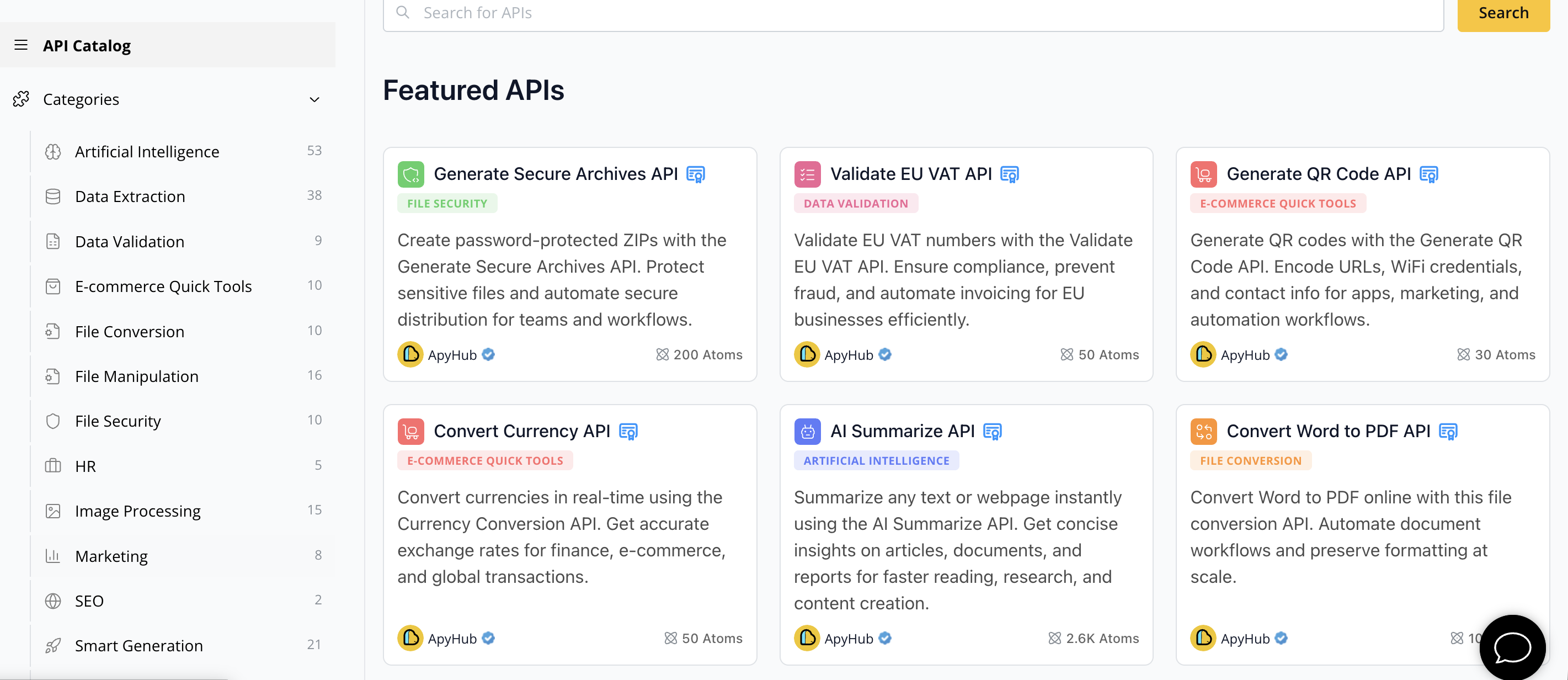
Discover how to accelerate your AI projects with proven API solutions that align with your integration goals. Visit ApyHub Catalog now to find the perfect APIs that empower your development workflows and help you ship faster with confidence.
09Frequently Asked Questions
How can I set up a development environment for building AI applications?
To set up a development environment for AI applications, start by selecting a powerful machine with a multi-core processor, at least 32 GB of RAM, and a suitable GPU. Then, install your preferred operating system, configure an integrated development environment, and include essential libraries like NumPy and TensorFlow to enable effective project management.
What APIs should I consider for AI-powered applications?
When selecting APIs for AI-powered applications, prioritize those that align closely with your project goals. Evaluate factors such as accuracy, scalability, and integration ease to ensure that the APIs you choose support your specific application needs and provide robust documentation and support.
How do I securely integrate APIs into my application?
Securely integrating APIs involves implementing secure authentication protocols like OAuth 2.0 and storing credentials using environment variables. Begin by thoroughly reviewing API documentation to understand authentication methods and endpoint structures before establishing connections and implementing robust error handling mechanisms.
What testing strategies should I use for validating API integrations?
To validate API integrations, create a comprehensive testing strategy that includes functional correctness, performance benchmarks, and security checks. Focus on developing automated tests that can run consistently across different environments to provide immediate feedback on integration health and ensure that your application can handle various scenarios effectively.
How do I implement core functionalities using APIs in my application?
To implement core functionalities using APIs, start by outlining your application's requirements and identifying the relevant API endpoints. Design modular function structures around these endpoints to ensure flexibility, and incorporate error handling and caching strategies to enhance performance and maintain the user experience during API interactions.