apyhub
IMAGE PROCESSING

Crop image around faces API

What it does

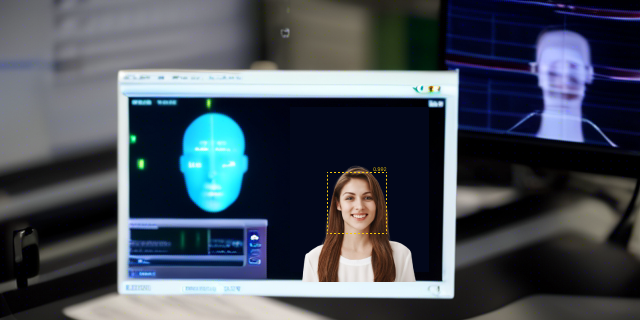
Smart Crop crops an image around detected faces or visual saliency and returns the cropped image as binary output. Send a binary image file in the request body, and optionally tune the result with aspect and padding query parameters.

Use aspect to set the target ratio, such as 1:1 or 4:5, and padding to control how much extra space is kept around the subject. The file input accepts an image up to 20 MB. That makes Smart Crop useful when you need consistent thumbnail framing for profile photos, product shots, social previews, or gallery cards without manually editing each image.

Because the service focuses on faces or the most salient part of the image, it helps preserve the subject while adapting the crop to different layouts. The response is the cropped image itself, so you can pass it straight into storage, delivery, or a downstream image pipeline.

POST
Crop image around faces or saliency
http://localhost:8080/dosvak/smart-crop

QUICKSTART

GUIDE

Quickstart

Upload one image and crop it to the requested aspect ratio.

curl -X POST "http://localhost:8080/dosvak/smart-crop?aspect=1:1&padding=0.18" \
  -H "apy-token: $APY_TOKEN" \
  -F "file=@/path/to/image.jpg"

What you'll get back

Returns a binary file (string with format: binary) containing the cropped image.

(binary file)
TRY ITLIVE · 100 ATOMS
Loading your default key…
The full key is used to call the gateway and stays in this tab — never sent to orbit or saved.
Max 100MB total per request (all files combined). Larger? Use this API's URL-based endpoint instead, if it has one.
body*
Image file

About this endpoint

What it does

Crops an uploaded image around detected faces or saliency and returns the processed image as a binary file.

Query Parameter(s)

AttributeTypeMandatoryDescription
aspectStringNoDesired crop aspect ratio. Default: 1:1. Must match the pattern ^\d+(\.\d+)?:\d+(\.\d+)?$.
paddingNumberNoExtra padding around the detected crop area. Default: 0.18. Minimum: 0, maximum: 0.5.

Request Body

ParameterTypeMandatoryDescription
fileStringYesImage file. Binary upload. Maximum size: 20 MB.

Response

Returns a binary string containing the cropped image. The success response body is a single binary file, not a JSON object.

ParameterTypeMandatoryDescription
binaryStringYesCropped image returned as binary data.

Query parameters

Name
Type
Description
aspectOPTIONAL
string
DEFAULT 1:1
paddingOPTIONAL
number
DEFAULT 0.18

Body

Name
Type
Description
bodyREQUIRED
object

Max 100MB total per request (all files combined). Larger? Use this API's URL-based endpoint instead, if it has one.

▣ COMMON ERRORS

Errors any endpoint can return

400bad_request

Required parameter missing or malformed body.

401unauthorized

API key missing, revoked, or not authorized for this service.

429rate_limited

Your plan's per-second rate exceeded. Retry with exponential backoff.

503upstream_busy

Backend temporarily unavailable. Try again in a few seconds.