6 Best Free AI Chatbots You Can Use in 2026
Building an AI chatbot can feel overwhelming when you are faced with so many platforms, integration options, and technical challenges. Whether you want something simple for your website or a sophisticated assistant that works across your entire organization, choosing the right solution often determines how quickly you can go from idea to a working chatbot. The good news is that there are dependable tools and APIs designed to match every budget and skill level—including free options from OpenAI and developer-friendly frameworks from Google and Microsoft.
This guide breaks down the best chatbot platforms and integration strategies available right now. You will see which options offer the easiest setup, which give you full control over customization, and how new AI models can power smarter conversations for your users. Each solution here is practical and actionable, so you can confidently select the best approach and avoid common pitfalls.
Get ready to discover the most effective ways to leverage conversational AI, save precious development hours, and empower your team with a chatbot that actually delivers results.
01Table of Contents
- OpenAI Chatbot: Free API And Custom Integration
- Google Vertex AI Chatbot: Fast Setup For Developers
- Microsoft Copilot: Automation And Workflow Support
- Hugging Face AI Chatbot: Open-Source And Flexible APIs
- Rasa Community Chatbot: Advanced Customization For Teams
- Dialogflow Lite: Quick Lead Generation Tools
- ApyHub API Chatbot: Streamlined Integration For Startups
02Quick Summary
| Key Insights | Clear Explanation |
|---|---|
| 1. Use OpenAI's Free API for Custom Chatbots | OpenAI offers a free tier that allows developers to create and deploy customizable chatbots without initial costs, providing flexible API access for various applications. |
| 2. Leverage Google Vertex AI for Quick Development | Vertex AI accelerates chatbot deployment with integrated tools, allowing developers to focus on building features while managing infrastructure automatically. |
| 3. Microsoft Copilot Enhances Productivity | Copilot automates repetitive tasks within Microsoft 365, improving team efficiency by integrating AI directly into existing workflows for better contextual insights. |
| 4. Hugging Face Enables Model Customization | Hugging Face provides open-source models allowing for extensive customization and fine-tuning based on specific business needs, enhancing model accuracy over time. |
| 5. Rasa Offers Advanced Conversation Control | Rasa supports complex dialog flows and team collaboration, which helps in building highly customized chatbots that cater to specific user needs and business logic. |
031. OpenAI Chatbot: Free API and Custom Integration
OpenAI offers one of the most accessible pathways to building intelligent conversational agents without breaking your budget. The free tier provides enough API access to develop, test, and even deploy production chatbots for many use cases. You gain immediate access to GPT models that power sophisticated language understanding and generation, making OpenAI a top choice for developers seeking serious AI capabilities at zero initial cost.
What makes OpenAI's approach compelling is the flexibility it provides. You're not locked into a predefined chatbot interface. Instead, you receive raw API access that you can integrate into virtually any application, whether that's a web app, mobile interface, or backend automation system. This means you control the user experience completely. You decide how conversations flow, what information gets displayed, and how responses are processed. Many developers overlook this advantage because they assume they need to use OpenAI's native ChatGPT interface, but the API unlocks far greater customization.
Getting started requires just a few steps. First, you create an OpenAI account and generate an API key from your account dashboard. This key becomes your authentication credential for all API requests. You'll want to store it securely as an environment variable, never hardcoding it directly into your application. Once you have your key, you can make HTTP requests to OpenAI's endpoints using any programming language or framework.
The practical implementation varies depending on your tech stack. If you're building with Node.js, you would set up a chat application that sends user messages to OpenAI's API and receives responses back in real time. The GPT-3.5-turbo model provides an excellent balance between performance and cost, making it ideal for most chatbot applications. You can pair this with React on the frontend to create an interactive user interface that feels responsive and modern.
For Python developers, the approach remains straightforward. You install the OpenAI Python library, authenticate with your API key, and call the API to generate responses. Some developers enhance this experience by wrapping the API with web frameworks like Gradio, which provides interactive interfaces without requiring you to build custom frontend code. This approach dramatically speeds up prototyping and lets you focus on the chatbot logic rather than UI implementation.
One critical aspect many developers miss is understanding the free tier limits. OpenAI provides trial credits that expire after three months, so you're not looking at permanent free access. However, the trial credits are substantial enough to experiment with different models, test conversation flows, and validate your chatbot concept. Once you move to production, you'll transition to paid usage, but you'll have clear insight into whether the model justifies the cost.
Integration with custom applications opens possibilities beyond simple chat interfaces. You might use an OpenAI-powered chatbot to handle customer support inquiries, generate personalized recommendations, automate content creation, or analyze user intent for lead qualification. The API's flexibility means your chatbot becomes a component within a larger system rather than a standalone tool. You can route responses through additional processing, combine them with data from other APIs, or use them to trigger automated workflows. Understanding how to build with AI and APIs for faster integration helps you design these systems effectively.
Error handling and rate limiting deserve your attention from the start. OpenAI implements rate limits to prevent abuse, and you'll encounter occasional API timeouts or failures. Building retry logic into your integration ensures your chatbot gracefully handles these scenarios rather than failing silently. Implementing exponential backoff strategies and monitoring your API usage helps you stay within limits while maintaining reliable service.
Pro tip: Start with the free trial credits to build and fully test your chatbot integration, measuring response quality and latency before committing to paid tiers. This approach reduces financial risk while helping you optimize your prompts and integration logic for production readiness.
042. Google Vertex AI Chatbot: Fast Setup for Developers
Google Vertex AI stands out because it prioritizes developer velocity without sacrificing capability. If you want to build a production-ready chatbot quickly without wrestling with complex infrastructure, Vertex AI delivers. Google's cloud platform provides integrated tools that handle everything from model selection to deployment, compressing what might take weeks into days.
What makes Vertex AI compelling is the ecosystem Google has built around it. You're not just getting access to generative AI models, you're getting a complete platform designed specifically for application development. The platform includes pretrained models, fine-tuning capabilities, and deployment infrastructure all in one place. This means you spend less time configuring cloud resources and more time building features that matter to your users.
The setup process is refreshingly straightforward. Google provides the Gen AI SDK which offers a Python interface that abstracts away much of the complexity. You authenticate with your Google Cloud credentials, configure a few environment variables, and you're ready to start making API calls. The SDK handles client creation automatically, meaning you can initialize a connection to Vertex AI with just a few lines of code. This is significantly faster than setting up traditional cloud APIs that require extensive boilerplate configuration.
For developers building customer service chatbots specifically, Vertex AI offers specialized capabilities that go beyond basic conversational response. You can implement request classification to route different customer inquiries to appropriate handlers. You can summarize support call transcripts automatically to extract key information. You can even deploy your chatbot directly on Vertex AI's infrastructure without managing your own servers. This end-to-end approach means you control the entire pipeline from ingesting customer messages to delivering responses and logging interactions.
The practical workflow looks like this. A customer submits a support request through your interface. That request gets sent to your chatbot application, which calls Vertex AI to generate a response. The response flows back to the customer while simultaneously being logged for quality assurance. You can layer additional processing on top, such as extracting entities from the response or checking its relevance score before sending it to the user. This orchestration capability makes Vertex AI powerful for production systems where you need control over the entire conversation flow.
One advantage over pure API solutions is that Vertex AI integrates with other Google Cloud services seamlessly. If you're storing data in BigQuery, you can reference that data in your chatbot prompts. If you're using Cloud Functions for other automation, your chatbot can trigger those functions. If you need to implement security controls, Cloud IAM manages access permissions across your entire stack. This integration reduces the friction of building complex systems and means your chatbot becomes a natural component within a larger application architecture.
The pricing model aligns well with development experimentation. You get free tier access that covers a reasonable volume of API calls, letting you test and validate your chatbot concept without incurring costs. Once you move to production, you pay based on usage, which scales efficiently if your chatbot becomes popular. Understanding how AI integration works across different platforms helps you compare Vertex AI against competing solutions and make informed decisions about your architecture.
One consideration is Google Cloud account management. You need a Google Cloud account to access Vertex AI, which means some initial setup beyond just creating a user account. However, this setup is a one-time investment that opens doors to numerous other Google Cloud services. Many developers already have Google Cloud accounts, making Vertex AI an obvious choice for their next project.
The learning curve is genuinely gentle. Google provides excellent documentation, and the API responses are consistent and predictable. If you've used other Google APIs or even basic Python libraries, Vertex AI will feel familiar. The error messages are descriptive, helping you debug integration issues quickly. This means less time searching Stack Overflow and more time shipping features.
Pro tip: Use Vertex AI's classification and summarization models on customer support interactions before feeding them to the main conversational model, this routing reduces response latency and improves answer accuracy by matching queries to specialized handlers.
053. Microsoft Copilot: Automation and Workflow Support
Microsoft Copilot transforms how teams handle repetitive work by embedding AI directly into the productivity tools you already use daily. Unlike standalone chatbots, Copilot integrates deeply with Microsoft 365 applications, Edge, and Windows, meaning it understands your documents, emails, and meetings in context. This contextual awareness makes it far more useful than generic AI assistants because it can reference your actual work and automate tasks specific to your workflow.
The power of Copilot lies in its ability to automate tasks that consume hours of manual effort. You can use it to generate complete documents from outlines, analyze spreadsheet data and create visualizations, draft professional emails, summarize meeting notes automatically, and create presentation slides from existing content. These aren't just text generation tricks. Copilot understands structure, relationships between data, and the conventions of different document types. When you ask it to create a quarterly report, it knows the sections that should be included and how to organize information for clarity.
What makes Copilot particularly valuable for developers and product teams is how it handles workflow integration. You're not copying text between applications or manually transcribing information. Copilot operates natively within Word, Excel, PowerPoint, and Outlook, meaning it can read from your actual files and create outputs that stay within your Microsoft ecosystem. This seamless integration reduces friction when building automation sequences. If your customer support team uses Microsoft 365, Copilot can summarize support tickets, extract key issues, and even suggest response templates, all without leaving Outlook.
The technical implementation relies on GPT-4 and GPT-5 models, which provide the language understanding that makes Copilot sophisticated. But here's what matters for you as a developer: you're not managing these models yourself. Microsoft handles the infrastructure, updates, and optimization. You get the benefit of cutting-edge AI capability without the maintenance burden. This is fundamentally different from implementing your own chatbot with OpenAI or Google APIs, where you own the infrastructure and must manage costs, scaling, and updates.
For organizational adoption, proper preparation determines success. Your team should configure tenant settings appropriately, establishing data boundaries and access controls before rolling out Copilot. This means defining what data Copilot can access and ensuring sensitive information stays protected. You'll also want to clean up unused content in your Microsoft 365 environment because Copilot's output quality improves when it works with well-organized data. Monitoring usage helps you understand which teams benefit most and where additional training or process changes might be needed.
The automation benefits extend across multiple scenarios. Marketing teams use Copilot to generate email campaigns and landing page copy. Engineering teams use it to create documentation from code comments and architecture diagrams. Sales teams use it to summarize competitive intelligence from emails and web research. Product managers use it to synthesize feedback from multiple sources into prioritized feature lists. Each use case saves time, but the compound effect across a team is significant. If Copilot saves each team member one hour per day, a fifty person organization recovers two hundred hours of productivity weekly.
Balancing security with capability is essential for successful implementation. APIs to extend low code and no code applications allow organizations to layer additional automation on top of Copilot when you need specialized functionality. You might use Copilot to draft content, then route that content through custom APIs for validation, enhancement, or compliance checking. This hybrid approach gives you flexibility to implement Copilot widely while maintaining control over critical processes.
One consideration is licensing. Microsoft Copilot Pro and Copilot for Microsoft 365 require subscriptions, so free access is limited to basic web browsing with Copilot in Edge. For organizations, the cost per user is reasonable given the productivity gains, but you'll want to evaluate whether the pricing aligns with your budget. The key question is whether the automation savings justify the subscription cost, which typically depends on your team size and how heavily you use Microsoft 365 applications.
The learning curve is minimal because Copilot uses natural language. You don't need to memorize commands or syntax. You simply describe what you want in plain English, and Copilot responds. This accessibility means adoption is faster than with more technical tools. Team members who might hesitate with complex software quickly embrace Copilot because the interface feels intuitive.
Pro tip: Start by identifying your most repetitive tasks across your team, then pilot Copilot on those specific workflows to measure time savings and build momentum for broader adoption across your organization.
064. Hugging Face AI Chatbot: Open-Source and Flexible APIs
Hugging Face represents a fundamentally different approach to AI chatbots compared to commercial platforms. Instead of relying on proprietary models locked behind closed APIs, you get access to open-source models that you can download, modify, and run on your own infrastructure. This openness transforms what's possible for developers who value control, transparency, and the ability to customize models for specific use cases.
What makes Hugging Face special is the collaborative ecosystem it has built. The platform hosts thousands of pre-trained models contributed by researchers and developers worldwide. You can browse models by task type, performance benchmarks, and use case. Need a chatbot optimized for customer support? There are specialized models. Need one for educational tutoring? Different models exist for that too. This variety means you're not forced into a one-size-fits-all solution. Instead, you select or fine-tune models that match your exact requirements.
The technical foundation rests on the Transformers library, which simplifies working with cutting-edge NLP models. Rather than building neural networks from scratch or understanding the deep mathematics behind modern language models, you can load a pre-trained model with just a few lines of Python code. The library handles tokenization, attention mechanisms, and inference optimization transparently. This abstraction democratizes AI development by making it accessible to developers without PhDs in machine learning.
For chatbot creation specifically, Hugging Face offers multiple pathways. You can download models directly to your local machine or server and run them offline, giving you complete data privacy and no dependency on external APIs. This matters for organizations handling sensitive information that cannot leave their infrastructure. You can also use Hugging Face Inference API to call models through cloud endpoints without managing your own servers. This flexibility means you choose the deployment model that aligns with your security, performance, and cost requirements.
Fine-tuning is where Hugging Face truly excels. You can take a pre-trained model and train it further on your own conversation data, teaching it about your specific domain or communication style. A customer support chatbot fine-tuned on your actual support conversations performs better than a generic model because it learns your terminology, tone, and common customer issues. This customization capability gives you competitive advantage because your chatbot becomes increasingly specialized for your use case over time.
The API ecosystem is remarkably flexible. You can integrate Hugging Face models into Node.js applications, Python backends, React frontends, and countless other platforms. The AI and machine learning APIs available for developers provide patterns for how to structure your integrations effectively. Whether you're calling Hugging Face APIs or building custom inference pipelines, the fundamental principles remain consistent around authentication, error handling, and response processing.
Cost is a significant advantage. Running open-source models on your own infrastructure means you avoid per-API-call pricing that can accumulate rapidly with popular commercial chatbots. Once you've invested in hosting infrastructure, additional conversations cost only the compute resources they consume. For high-volume applications, this cost structure is dramatically more favorable than paying for each request to a commercial API. Small startups and large enterprises both benefit from this economics.
The learning resources are exceptional. Hugging Face provides comprehensive documentation, tutorials, and example notebooks that show how to build chatbots from scratch. The community is active and helpful, meaning when you encounter challenges, you'll find solutions quickly. The platform emphasizes education alongside code, so you're not just copying examples but understanding why things work the way they do.
One consideration is that running models yourself requires infrastructure investment and operational expertise. You need to handle model updates, monitor performance, and manage scaling. With commercial APIs, the provider handles these responsibilities. For organizations with strong engineering teams, this trade-off favors Hugging Face. For smaller teams without infrastructure expertise, the operational burden might push them toward managed solutions.
The model quality is competitive with or superior to commercial alternatives because Hugging Face aggregates innovation from the entire research community. When a new technique is published in academic papers, Hugging Face implementations typically appear quickly. This means your chatbot benefits from cutting-edge advances in natural language processing without waiting for commercial platforms to integrate them.
Pro tip: Start with a pre-trained model from Hugging Face rather than fine-tuning immediately, validate that the base model meets your needs, then invest in fine-tuning only after confirming the cost-benefit justifies the additional development effort.
075. Rasa Community Chatbot: Advanced Customization for Teams
Rasa stands apart because it's built specifically for teams that need chatbots going beyond simple question-answering. This open-source framework prioritizes customization and control, letting your team design conversational flows that match your exact business logic and user needs. If you're tired of generic chatbot builders that force you into predetermined patterns, Rasa gives you the flexibility to build exactly what you envision.
The power of Rasa comes from its architecture. Unlike platforms that treat chatbots as simple input-output machines, Rasa models conversation as a series of states and transitions. Your chatbot understands context, remembers previous interactions, and can handle complex multi-turn conversations where the user's intent depends on what happened earlier. This contextual awareness transforms chatbot interactions from transactional exchanges into genuine conversations that feel natural and helpful.
Rasa uses machine learning models to interpret user messages and decide what actions to take next. You train these models on your own conversation data, teaching them to understand your specific terminology and business domain. A chatbot for healthcare needs to understand medical concepts differently than one for retail or finance. Rasa's customizable NLU engine learns exactly what matters to your organization, producing more accurate responses than generic models trained on general web text.
Team collaboration is baked into Rasa's design. Multiple developers can work on the same chatbot project simultaneously, with version control ensuring changes don't conflict. You can test dialogue flows before deployment, iterate based on user feedback, and continuously improve your chatbot over time. This iterative development approach matches how software teams actually work, as opposed to rigid platforms where changes require going through vendor support channels.
The technical setup involves defining conversation flows through YAML configuration files. You specify intents (what users want to accomplish), entities (important information to extract), and actions (what your chatbot should do). This declarative approach means non-engineers can understand and modify chatbot behavior once developers set up the foundation. Product managers can propose dialogue changes, and developers can implement them without rewriting code.
Integration with external systems is straightforward. Your Rasa chatbot can call APIs to fetch data, update databases, or trigger workflows in other tools. A customer service chatbot might fetch ticket information from your support system, summarize recent interactions, and suggest relevant solutions. An HR chatbot might integrate with your employee directory to provide organizational information. These integrations extend your chatbot from a conversational interface into an automation tool that drives real business value.
Deployment options range from running Rasa on your own servers to containerized deployments using Docker. You maintain complete control over where your chatbot runs and how it scales. This matters for organizations with data residency requirements or those needing to process sensitive information without sending it to third-party servers. You can deploy Rasa on-premise, in your private cloud, or use managed hosting services, depending on your infrastructure preferences.
Platform integration capabilities are extensive. You can connect your Rasa chatbot to Telegram, Slack, Google Assistant, Facebook Messenger, and numerous other channels. The same chatbot logic serves conversations across multiple platforms, reducing maintenance burden while extending your reach. A user on Telegram has the same conversation experience as someone on Slack, because both channels connect to the same underlying chatbot.
The learning curve requires commitment. Unlike simple chatbot builders where you can get results in minutes, Rasa demands understanding conversation design principles, machine learning concepts, and your team's specific needs. However, building context-sensitive conversational agents using modern frameworks teaches you principles that apply across your entire organization. This investment in understanding chatbot architecture pays dividends as your team becomes more sophisticated with AI applications.
The community provides excellent support. Rasa maintains comprehensive documentation, offers tutorials and example projects, and hosts an active community forum where developers help each other solve problems. When you encounter challenges, you're not struggling alone. You're drawing on the collective experience of thousands of developers building Rasa chatbots worldwide.
Cost-wise, Rasa is free. The only expenses come from your infrastructure, development time, and any managed services you choose. For organizations building sophisticated chatbots, this open-source approach is far more economical than paying per-interaction fees to commercial platforms. A high-volume chatbot serving thousands of daily conversations costs a fraction of what comparable managed services would charge.
Pro tip: Start by mapping your most common customer conversations and their happy paths before building in Rasa, this planning phase ensures your custom dialogue flows match actual user needs rather than assumptions, reducing development rework.
086. Dialogflow Lite: Quick Lead Generation Tools
Dialogflow excels when you need a chatbot deployed quickly without extensive development overhead. Google's conversational platform prioritizes speed and ease of use, making it ideal for teams that want to start capturing leads and qualifying prospects immediately. If your priority is getting a functional lead generation tool live in days rather than months, Dialogflow delivers that capability.
The visual builder approach sets Dialogflow apart from code-heavy alternatives. Instead of writing conversation logic in programming languages, you design conversation flows visually using a drag-and-drop interface. You define intents, which represent what users want to accomplish. You map user utterances to those intents, teaching the system to recognize variations on the same request. You then build conversation paths that respond appropriately based on what the user is trying to do. This visual design makes conversation architecture accessible to product managers, business analysts, and others beyond just software engineers.
For lead generation specifically, Dialogflow capabilities align perfectly with what you need. Your chatbot asks qualifying questions, extracts important information like company size or budget, and routes leads to the appropriate sales team member. The chatbot qualifies prospects in real time, so your sales team receives only high-quality leads rather than having to sift through every inquiry. This filtering improves sales efficiency significantly because representatives spend time on prospects with genuine interest rather than responding to tire kickers.
The natural language understanding improves as you train it. When you provide example user phrases for each intent, Dialogflow learns to recognize similar variations automatically. A user might ask "What's your pricing" while another asks "How much does it cost". Dialogflow understands both map to the same intent, even without you explicitly providing every possible phrasing. This machine learning foundation means your chatbot becomes more accurate over time, with less manual rule creation.
Integration with Google Cloud services and external systems is straightforward. Your Dialogflow chatbot can fetch data from databases, call APIs, or trigger workflows in other applications. An inbound lead provides their email address, and your chatbot immediately pulls their company information from your CRM to personalize the conversation. Based on their responses, the chatbot might create a task in your project management tool or send a notification to your sales team. These integrations transform your chatbot from a simple conversational interface into an automation engine that drives business processes.
Deployment happens across multiple channels simultaneously. You build once in Dialogflow and deploy to your website, Facebook Messenger, WhatsApp, Telegram, or custom applications. A prospect can start a conversation on your website, and if they return through a mobile app, they pick up where they left off. This omnichannel approach maximizes your ability to reach prospects where they're most comfortable communicating.
The setup process is genuinely fast. You can create your first working chatbot in under an hour by following rapid bot building with visual flow designs. Google provides templates and example conversations for common use cases like appointment booking, product inquiry handling, and lead qualification. These templates give you a starting point rather than forcing you to build from scratch.
Context preservation across turns improves conversation quality. Your chatbot remembers information shared earlier in the conversation without you having to explicitly manage that memory. If a user mentions their company in turn one and asks about enterprise pricing in turn three, your chatbot can reference that context automatically. This continuity makes conversations feel natural rather than disjointed.
Analytics provide visibility into what's working and what needs improvement. You can see which intents your chatbot struggles to recognize, which conversation paths users abandon, and which leads convert to customers. This data drives iterative improvements. If you notice users frequently ask about a particular feature that your chatbot doesn't handle well, you know exactly where to invest refinement effort.
The integration with Google Workspace means you can route qualified leads directly to Google Sheets or Gmail. Your sales team receives lead information in tools they already use daily, reducing friction in the handoff process. No more copy-pasting data between systems or managing separate lead databases.
Pricing scales with your usage. Small teams or startups can use Dialogflow on the free tier with reasonable monthly request limits. As your chatbot handles more conversations, you move to paid tiers with higher limits. This means you can validate your lead generation approach without significant upfront investment.
Pro tip: Design your chatbot to ask for one critical qualifying question early, such as budget range or timeline, so you can immediately score leads and focus conversation time on genuinely interested prospects.
Below is a comprehensive table summarizing the main features, benefits, and use cases of the AI chatbot platforms reviewed in the article.
| Platform | Key Features | Best Use Cases |
|---|---|---|
| OpenAI Chatbot | Provides free API access and customizable conversational interfaces; ideal for leveraging GPT models. | Custom chatbot integration for diverse applications, content automation, and advanced AI models. |
| Google Vertex AI Chatbot | Offers quick deployment and integrated tools for AI applications with strong ecosystem support. | Lead generation, customer support automation, and seamless Google Cloud integration. |
| Microsoft Copilot | Embedded AI automation within Microsoft 365 tools; context-aware capabilities. | Workflow enhancement, professional content generation, and improved productivity across teams. |
| Hugging Face AI Chatbot | Access to open-source models for flexible, domain-specific customization and data privacy. | Sensitive applications requiring high customization and control, with strong community support. |
| Rasa Community Chatbot | Customizable conversational design emphasizing context and multi-turn interactions. | Complex discussion flow implementations for scalable and tailored chatbot solutions. |
| Dialogflow Lite | Drag-and-drop interface for simplified chatbot creation and deployment across channels. | Rapid lead qualification and interactive customer communication. |
09Accelerate Your AI Chatbot Development with ApyHub APIs
Building powerful AI chatbots like the ones featured in "7 Best Free AI Chatbots You Can Use in 2026" comes with challenges such as integrating multiple services, managing infrastructure, and maintaining reliable performance at scale. You want fast, flexible APIs that streamline workflows for use cases like customer support, lead qualification, and content automation without reinventing the wheel or dealing with complex infrastructure. ApyHub provides a marketplace of over 150 ready-to-use APIs tailored for developers, startups, and teams aiming to reduce development time and focus on building distinctive chatbot functionalities.
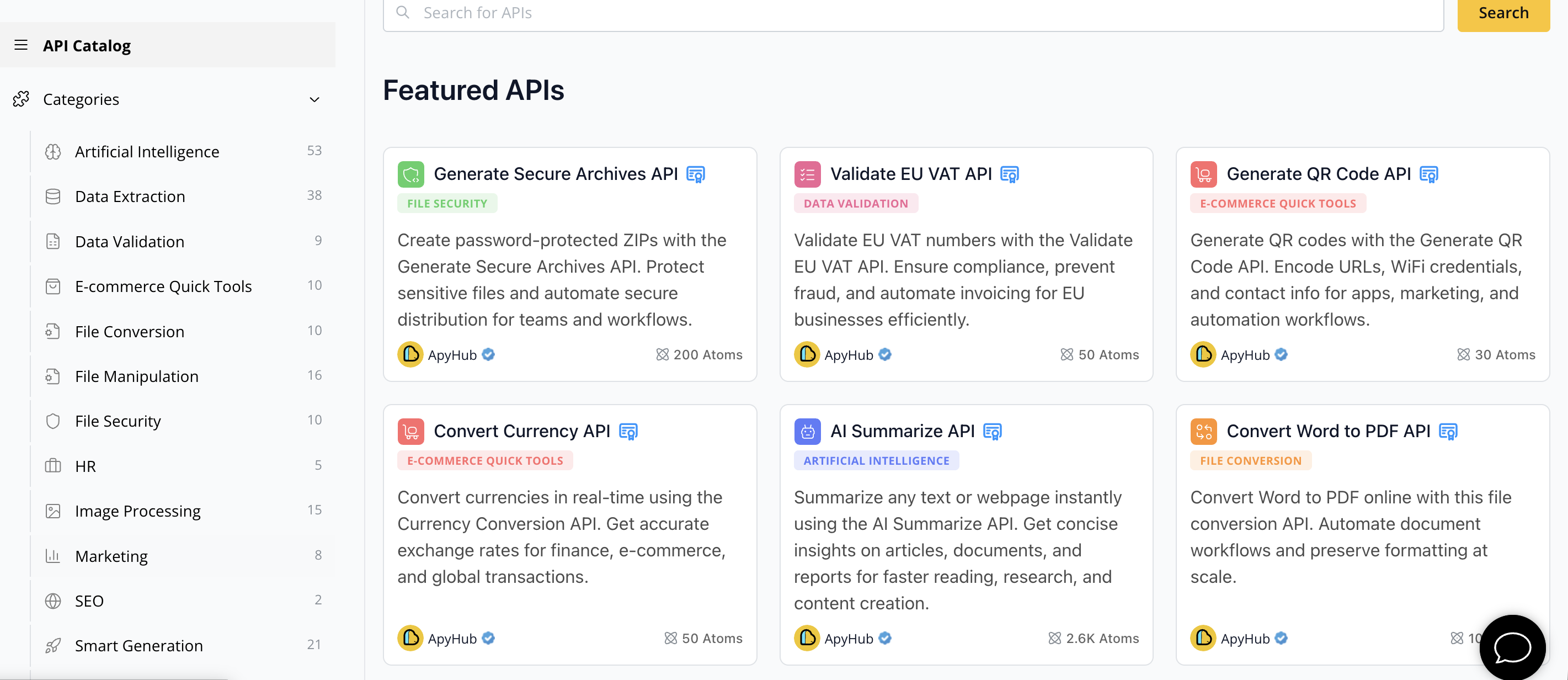
Unlock the potential of AI document understanding, text classification, and data extraction by connecting to the ApyHub Catalog today. Whether you want to automate lead generation, personalize conversations, or enrich chatbot responses with real-time data, ApyHub offers practical integration patterns and reliable APIs that scale with your product. Visit ApyHub's API Marketplace to explore solutions that accelerate chatbot innovation and reduce maintenance complexity. Start building smarter chatbots now and see how easy it is to ship faster with ApyHub.
10Frequently Asked Questions
What are the best free AI chatbots available in 2026?
The best free AI chatbots in 2026 include options like OpenAI Chatbot, Google Vertex AI Chatbot, and Microsoft Copilot. These chatbots are designed for various use cases such as customer support, lead generation, and productivity assistance.
How do I choose the right free AI chatbot for my project?
To choose the right free AI chatbot, first identify your specific use case—like customer service or data analysis. Then evaluate the features, ease of integration, and customization options that each chatbot offers to find the best fit for your needs.
Can I integrate a free AI chatbot into my existing applications?
Yes, most free AI chatbots offer API access for integration into your existing applications. Start by reviewing the documentation provided by the chatbot platform you select to understand the setup process and integration requirements.
What are the limitations of using free AI chatbots?
Free AI chatbots typically come with usage limits, such as API call quotas and reduced access to advanced features. Consider these limitations when planning to ensure that they meet your project demands without unexpected interruptions.
How quickly can I set up a free AI chatbot?
You can usually set up a free AI chatbot within a few hours to a few days, depending on the complexity of your project and your familiarity with the required technology. Follow the provided documentation and tutorials to expedite the process.
Are there costs associated with upgrading free AI chatbots?
Yes, while the initial usage of free AI chatbots is cost-free, scaling beyond the free limits often incurs costs. Review the pricing models of the platforms to understand when and how the transition to a paid tier might happen.