Tutorials
Extend your n8n application with plug and play APIs
Learn how to extend your n8n application with plug and play APIs in this step-by-step guide. Explore setup, integration, real-world examples, and workflow testing.
NI
Nikolas Dimitroulakis
Last updated on January 13, 2026
Extend Your n8n Application with Plug and Play APIs Easily
Every american software developer or product manager knows the struggle of connecting countless tools when building automation. Nearly 85 percent of startups run into integration headaches that eat up valuable development time. If you want a simple way to harness plug-and-play APIs in n8n, understanding where and how to automate can sharply reduce tedious manual work and costly errors. This guide helps you pinpoint automation opportunities so you can focus more on innovation and less on repetitive tasks.
Table of Contents
- Step 1: Understand n8n and Identify Extensible Tasks
- Step 2: Set Up n8n and Prepare for API Integrations
- Step 3: Connect Plug and Play APIs from ApyHub
- Step 4: Design Automated Workflows with APIs
- Step 5: Test and Monitor Your New Workflow
Quick Summary
| Key Insight | Explanation |
|---|---|
| 1. Automate Repetitive Tasks | Identify and automate tasks like data entry and reporting to save time and reduce errors. |
| 2. Choose the Right Deployment | Decide between cloud-based hosting for ease or self-hosted for customization when setting up n8n. |
| 3. Validate API Connections | Always create test workflows to ensure API connectivity and response handling before implementing complex automation. |
| 4. Implement Robust Testing | Use a staging environment and comprehensive test cases to catch issues before impacting production workflows. |
| 5. Monitor Workflow Performance | Set up automated alerts and monitoring to maintain the reliability and efficiency of your automated workflows. |
Step 1: Understand n8n and Identify Extensible Tasks
Understanding n8n's workflow automation capabilities can transform how you connect and streamline business processes. n8n is an open-source workflow automation platform that enables technical teams to build powerful integrations across multiple applications without complex coding.
At its core, n8n allows you to create custom workflows that connect different software tools seamlessly. Imagine being able to automatically transfer data between your CRM, email marketing platform, and project management software without writing extensive code. This platform supports over 350 applications, giving you unprecedented flexibility in designing automation strategies.
To identify extensible tasks in n8n, start by mapping out your current manual processes. Look for repetitive tasks that consume significant time such as data entry, reporting, customer communication, or synchronizing information across different systems. These are prime candidates for automation. Some common workflow examples include lead generation tracking, customer onboarding sequences, support ticket routing, and financial reporting.
Use this summary to identify common automation candidates for n8n:
| Task Type | Automation Potential | Business Benefit |
|---|---|---|
| Data Entry | Very high | Time savings, fewer errors |
| Customer Reporting | High | Faster, consistent reports |
| Lead Tracking | Moderate to high | Real-time insights |
| Support Ticket Flow | High | Improved customer response |
| Finance Processes | Moderate to high | Reduces manual oversight |
Pro Tip: Before building complex workflows, start with a simple two-step automation to understand n8n's node-based interface and build confidence in the platform.
Step 2: Set Up n8n and Prepare for API Integrations
Preparing your n8n environment for seamless API integrations requires careful configuration and strategic planning. Setting up API endpoints and credentials involves selecting the right installation method and establishing secure authentication protocols that will support your workflow automation needs.
You have two primary deployment options for n8n: cloud-based hosting or self-hosted installation. Cloud platforms offer quick setup and managed infrastructure, while self-hosted solutions provide maximum customization and control. Regardless of your choice, you'll need to generate API credentials specific to each service you want to integrate. This typically involves obtaining API keys, configuring OAuth2 authentication, or setting up specific webhook endpoints that enable communication between different applications.

Here's a comparison of n8n deployment methods and their typical business impact:
| Deployment Method | Setup Ease | Customization Level | Business Impact |
|---|---|---|---|
| Cloud-Based Hosting | Quick initial setup | Limited infrastructure | Fast scale, less control |
| Self-Hosted | More manual effort | Full access & control | Custom security, flexible |
To streamline your API integration process, focus on understanding each application's specific requirements. Map out the data flow between your systems, identify trigger events that will initiate workflows, and design action nodes that can process API requests efficiently. Pay special attention to authentication methods, rate limiting, and potential error handling mechanisms to ensure robust and reliable automation.
Pro Tip: Create a dedicated test workflow with minimal complexity to validate your API integration approach before building more advanced automation sequences.
Step 3: Connect Plug and Play APIs from ApyHub
n8n simplifies the process of integrating plug-and-play APIs by providing flexible connection methods that require minimal technical overhead. Connecting APIs using HTTP Request nodes allows developers to quickly establish communication between different software platforms without extensive coding knowledge.
To connect ApyHub APIs in n8n, you will need to navigate to the HTTP Request node and configure the specific endpoint details. This involves specifying the API endpoint URL, selecting the appropriate HTTP method (GET, POST, PUT, DELETE), and setting up necessary authentication credentials. ApyHub offers a wide range of utility APIs across categories like document processing, AI text analysis, image manipulation, and data extraction that can be seamlessly integrated into your n8n workflows.
When configuring your API connection, pay close attention to input parameters, authentication requirements, and response handling. Most ApyHub APIs support standard authentication methods like API keys or OAuth2, which can be securely stored within n8n's credential management system. Test your API connections incrementally, starting with simple data retrieval workflows before building more complex automation sequences that leverage multiple API endpoints.
Pro Tip: Always create a dedicated test workflow to validate API connectivity and response handling before implementing complex automation scenarios.
Step 4: Design Automated Workflows with APIs
Building intelligent automated workflows in n8n requires a strategic approach to connecting and managing API interactions across different systems. Designing workflow automation using API nodes empowers developers to create complex integrations with minimal coding overhead.
Start by identifying the trigger nodes that will initiate your workflow. These could be time-based schedulers, webhook endpoints, or specific events from source applications. Next, configure action nodes that call APIs, process incoming data, and execute transformations. When designing your workflow, consider the sequence of operations carefully. Map out each step from data retrieval to processing and final output, ensuring smooth communication between different API endpoints.
Pay special attention to authentication mechanisms, error handling, and data validation. Most n8n workflows require careful management of API credentials, rate limits, and potential response variations. Implement conditional logic nodes to handle different scenarios, such as retrying failed API calls or routing data based on specific conditions. Break complex workflows into smaller, modular segments that can be easily tested and modified, allowing for incremental development and robust automation strategies.
Pro Tip: Use n8n's expression editor to dynamically map data between nodes and create more flexible, adaptive workflows that can handle varying API response structures.
Step 5: Test and Monitor Your New Workflow
Ensuring the reliability and performance of your n8n workflow requires a comprehensive testing and monitoring strategy. Implementing comprehensive workflow testing helps you catch potential issues before they impact your production environment.
Begin by creating a dedicated staging environment that mirrors your production setup. This allows you to simulate real-world scenarios without risking actual data or system performance. Develop a suite of test cases that cover different input scenarios, including edge cases and potential error conditions. Use n8n's built-in debugging tools to track execution logs, inspect node-level interactions, and identify potential bottlenecks or unexpected behaviors in your workflow.
Implement robust error handling and monitoring mechanisms to maintain workflow stability. Configure automated alerts that notify you of execution failures, performance degradations, or unexpected data transformations. Consider setting up retry logic for transient errors, and establish clear logging protocols to help diagnose and resolve issues quickly. By creating granular monitoring strategies, you can ensure your automated workflows remain reliable, efficient, and responsive to changing system conditions.
Pro Tip: Create a dedicated monitoring workflow that periodically checks the health and performance of your primary workflows, providing an additional layer of operational visibility.
Supercharge Your n8n Workflows with Ready-to-Use APIs from ApyHub
The article highlights the challenge of designing intelligent automated workflows in n8n that connect multiple APIs while managing authentication, error handling, and data transformation. Many developers face the pain of spending excessive time building and maintaining complex API integrations from scratch. This often leads to delays, increased errors, and fragile automation that is hard to scale. If you want to bypass these struggles by accessing reliable, plug-and-play APIs that easily integrate into your n8n workflows, ApyHub is your solution.
ApyHub offers over 150 APIs across categories like AI document understanding, data extraction, file conversion, and more. Our APIs empower developers and teams to accelerate development speed, reduce maintenance overhead, and build robust automation workflows with confidence. Seamlessly connect to trusted APIs for common tasks like invoice extraction, sentiment analysis, barcode generation, and much more without reinventing the wheel.
Unlock the full potential of your n8n applications today by exploring our extensive API catalog and start integrating these powerful tools into your workflows.
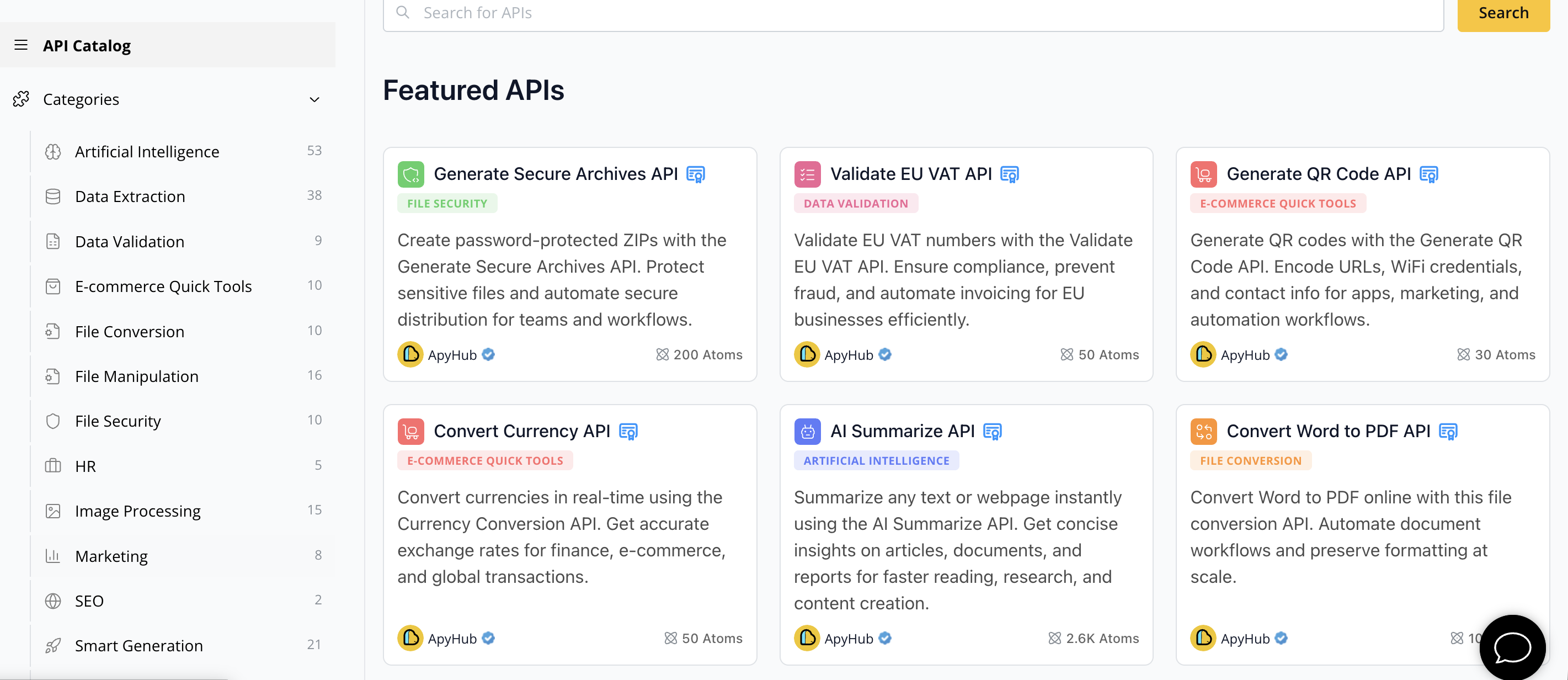
Ready to reduce development time and ship faster using reliable, ready-to-use APIs designed for builders like you? Visit ApyHub API Catalog now and discover how easily you can extend your n8n automation with ApyHub’s plug-and-play APIs. Don’t let complexity slow you down when scalable automation is just a few clicks away.
Frequently Asked Questions
How can I start using plug-and-play APIs with my n8n workflows?
To start using plug-and-play APIs in n8n, navigate to the HTTP Request node and configure the required endpoint details. Specify the API endpoint URL, select the appropriate HTTP method, and set up necessary authentication credentials before testing your connection.
What types of APIs can I integrate with n8n using ApyHub?
You can integrate a wide range of utility APIs from ApyHub with n8n, including those for document processing, AI text analysis, image manipulation, and data extraction. Explore these categories to enhance your workflow automation effectively.
What steps should I take to ensure successful API connections in n8n?
To ensure successful API connections in n8n, carefully configure input parameters, authentication methods, and response handling settings. Test your API connections incrementally to validate functionality, starting with simple requests before building more complex workflows.
How do I handle errors when integrating APIs into n8n workflows?
To handle errors in n8n workflows, implement robust error handling and logging mechanisms. Configure automated alerts for execution failures and incorporate retry logic for transient errors to maintain workflow stability and reliability.
What is the best way to test my n8n automated workflows?
The best way to test your n8n automated workflows is to create a dedicated staging environment that mimics your production setup. Develop a suite of test cases to cover different input scenarios, including edge cases, and use n8n’s debugging tools to track interactions and diagnose potential issues.